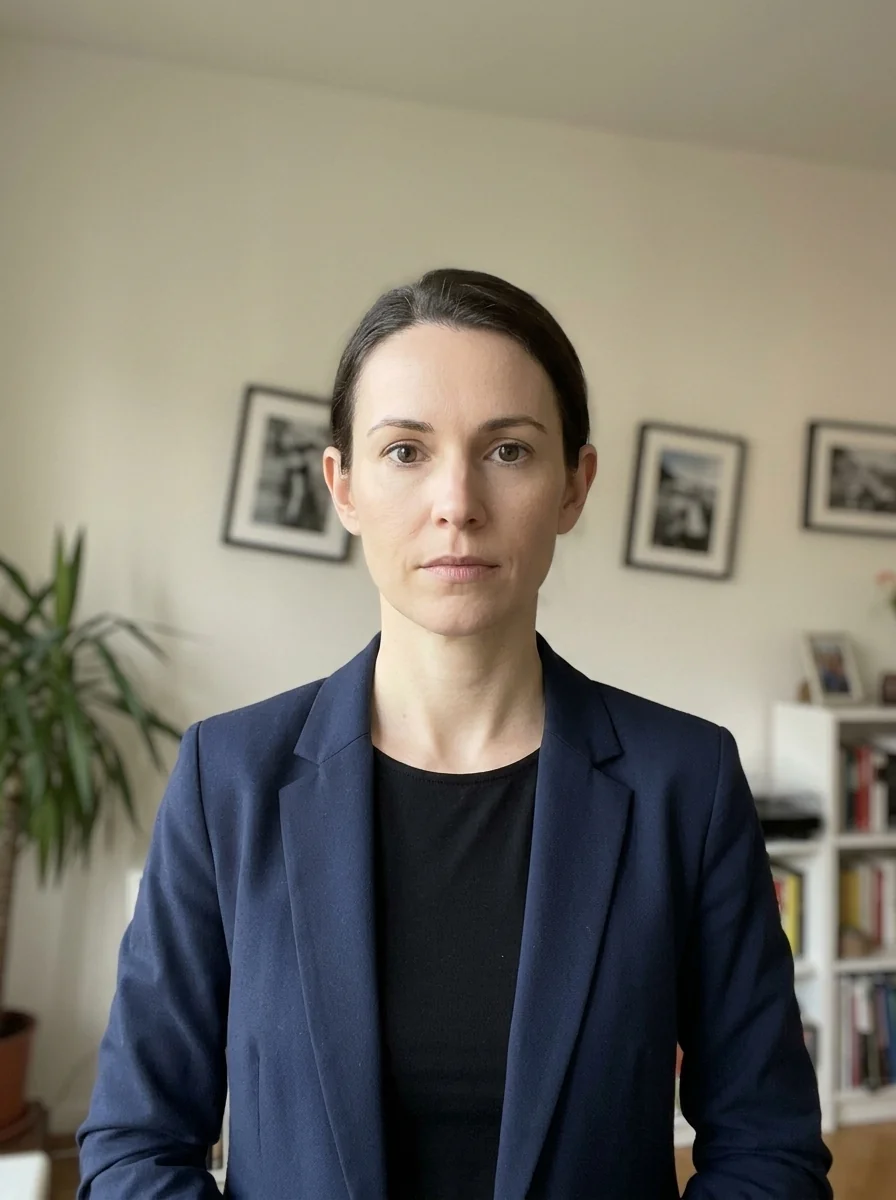
How to Take a Passport Size Photo at Home with Your Mobile Phone
By Shrikant Yadav • Smartphone passport-photo capture guide • Editorial review: September 2026
To take a strong passport-style source photo with your phone, use even light, hold the camera near eye level, disable beauty filters, keep enough space around the head for cropping, and avoid a very close wide-angle selfie. A longer camera distance or optical zoom can reduce perspective distortion on some phones. Then upload the image to PhotocopyWale, choose the dimensions and background required by your passport application, and review the final crop.
1. The Optical Physics of Why Front Selfies Get Rejected
The single biggest mistake home applicants make is extending their arm and taking a front-camera selfie. Smartphone front cameras are equipped with ultra-wide lenses (equivalent to 24mm-26mm on a full-frame sensor). When held 18-24 inches from your nose, wide lenses create severe perspective distortion (foreshortening).
Very close wide-angle phone photos can exaggerate the centre of the face and make the ears or cheekbones look farther away. For an identity portrait, avoid that distortion by moving the camera farther back and using a natural-looking focal length or modest crop. The receiving authority decides whether a photograph meets its identity-photo requirements.
Pro Tip: If taking the photo alone, mount your smartphone on a simple phone tripod or prop it securely on a shelf at eye level, then use the 3-second or 10-second camera self-timer with the rear camera lens.
2. Perfect DIY Window Lighting Setup
Even, soft lighting usually makes facial detail easier to see and reduces strong shadows that can complicate identity-photo preparation. Here is a practical home-lighting setup; verify any authority-specific lighting rules in the current official instructions:
- Face the Window Directly: Position yourself 3 to 4 feet in front of a large window receiving indirect daytime sunlight (between 9:00 AM and 4:00 PM). Avoid direct blistering sunbeams which cause squinting and hot spots on the forehead.
- Use a White Reflector Board: If one side of your face is slightly darker than the other, hold a white sheet of A4 paper or white cardboard waist-high to bounce soft fill-light under your chin.
- Turn Off Overhead Ceiling Lights: Yellow incandescent bulbs or harsh fluorescent tubes cast downward shadows under your eyes and nose, causing "raccoon eyes" on official identity scans.
3. Recommended Smartphone Camera Settings
| Camera Setting | Recommended Value | Why the setting helps |
|---|---|---|
| Lens Selection | Rear 2x or 3x Telephoto | Provides natural 50mm-70mm focal length without face distortion |
| Aspect Ratio | 4:3 (Native Full Sensor) | Captures maximum sensor resolution before cropping |
| Beauty / Smoothing | Completely OFF (0%) | Filters erase skin texture and moles, violating anti-tampering rules |
| Grid Lines | Turn ON (3×3 Grid) | Helps align eye line and ensure shoulders are level |
| Flash Mode | Force OFF | Eliminates lens flare, red eye, and harsh back shadows |
4. Head Posture & Attire Checklist
Before tapping the shutter button, review these essential biometric posture checks:
- Head Angle: Look straight into the camera lens with your chin parallel to the floor. Do not tilt your head sideways or upwards.
- Eyes & Gaze: Keep both eyes open, focused on the lens. Both ears should be equally visible.
- Facial Expression: Keep a completely neutral expression with lips sealed. Smiling, teeth showing, or frowning will cause automated portal rejection.
- Clothing: Wear dark or vibrant clothing (such as dark blue, black, maroon, or dark green) with a collared shirt. Avoid white clothing that blends into the white backdrop.
- Eyeglasses & Jewelry: Remove eyeglasses to eliminate glare. Keep jewelry minimal and hair pulled behind shoulders.
Frequently Asked Questions (DIY Phone Photography)
Can I take a passport photo myself using the front selfie camera?
No. Handheld front selfie cameras have wide-angle focal lengths that cause barrel distortion, making your nose look larger and ears disappear. Always have someone take the photo from 5-6 feet away using the rear camera, or mount your phone on a tripod with a timer.
Should I use phone flash when taking passport photos indoors?
No. Smartphone LED flash creates harsh shadows behind the ears, causes red-eye or pupil reflections, and reflects glare off skin. Natural window daylight is strongly recommended.
What phone camera settings are best for passport photos?
Use standard Photo mode (4:3 aspect ratio), turn off beauty filters and skin smoothing, and use 2x telephoto zoom from 6 feet away for the most accurate facial proportions.
 Author & Technical Review
Authored by Shrikant Yadav (https://shrikantyadav.com/). Camera-distance, lighting, focus, and perspective guidance on this page is practical photography advice. Verify any authority-specific pose, capture, or image-alteration rule from the current passport instructions.
Ready to Crop Your Smartphone Photo?
Upload your picture and our browser studio will auto-crop, scale to 35×45 mm, whiten the background, and generate a 300 DPI A4 print sheet.
Open Passport Photo Studio