
Passport Photo Print Sheet Maker
Arrange passport-style photos such as 35×45 mm on A4, 4×6 and other supported sheets. Configure margins, spacing and cut guides, then print at actual size and measure a finished copy when exact physical dimensions matter.
Directly generating print sheets? If your photo needs face framing, pure white background, or candidate DOP text first:
Passport Photo Print Sheet Maker
Arrange photos on supported sheets with layout guides and cut lines
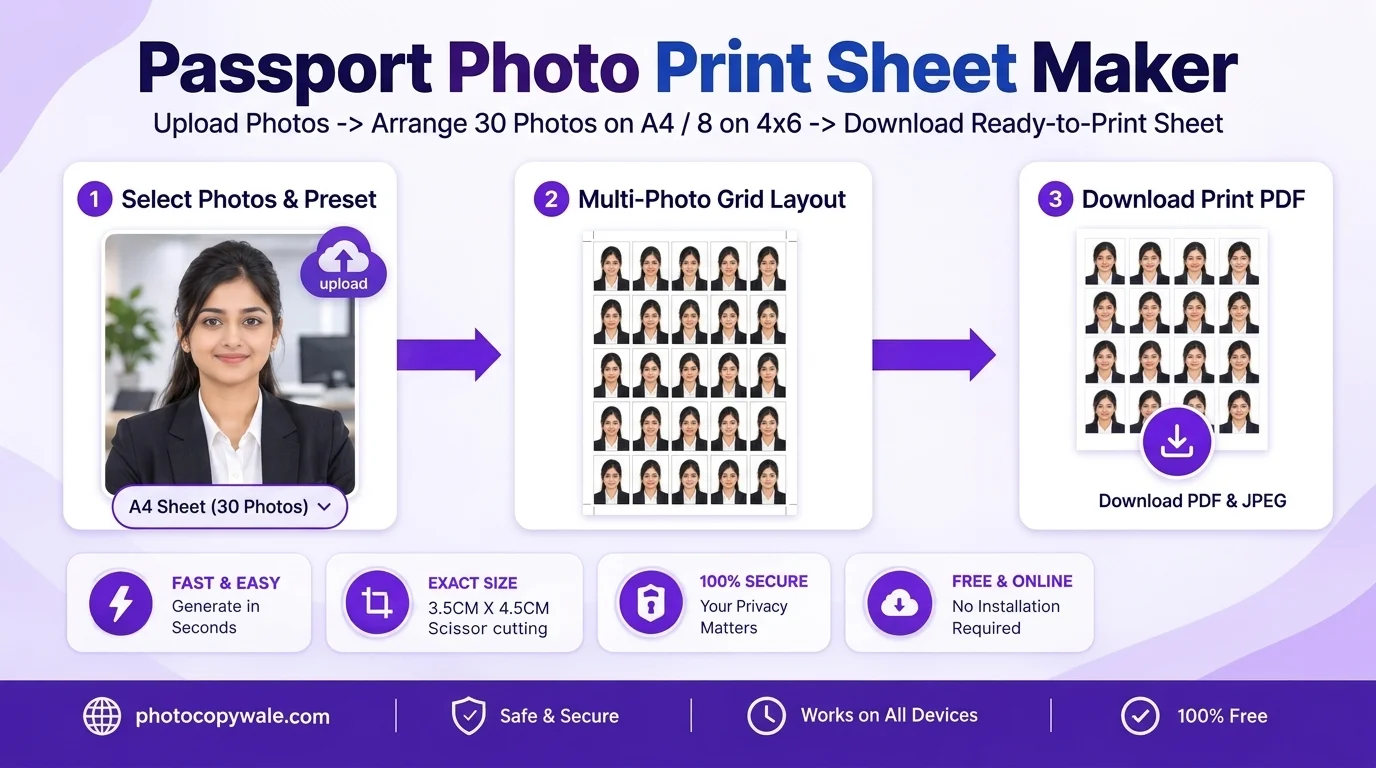
A4 & 4×6 Standard Multi-Photo Grid with Scissor Cut Guides
More Dedicated Tools in Passport Photo Studio
All tools share your active photo session. Switch between tools without re-uploading:
Lock 35×45 mm ratio with biometric face alignment oval.
Passport Photo EnhancerSolid pure white background (#FFFFFF) and studio lighting balance.
Passport Photo Name & DateOptional name/date caption strip for applications that explicitly request one.
Passport Photo CompressorCompress toward a target KB only when the application specifies a file-size limit.
Photo Paper Sizes, Layout Capacity & Example Margins
Engineered specifically for Indian photo print workflows. Check exact sheet capacity and margins:
| Sheet Paper Size | Photo Capacity | Grid Arrangement | Example Layout Margins | Best Application |
|---|---|---|---|---|
| A4 5×6 Layout (210 × 297 mm) | 30 slots | 5 columns × 6 rows | Example centered spacing; verify exported layout and printer margins | Higher-copy-count passport-photo sheets |
| 4 × 6 Inch / 4R (101.6 × 152.4 mm) | 8-slot preset | 4 columns × 2 rows | Example centered spacing; printer margins vary | Compact photo-paper printing |
| A6 Postcard Sheet (105 × 148 mm) | 6-slot preset | 2 columns × 3 rows | Depends on selected photo size and spacing | Compact print layouts |
| 5 × 7 Inch / 5R (127 × 178 mm) | 12-slot preset | 4 columns × 3 rows | Depends on selected photo size and spacing | Larger photo-paper layouts |
Printer Driver Setup Guide for Indian Ink Tank Printers
Follow these exact settings for Epson EcoTank (L3150, L3210, L3250) and Canon Pixma (G2010, G3010):
Set Scale to 100% Actual Size
If exact physical dimensions matter, avoid automatic page-fitting that changes scale. Use Actual Size or 100% where appropriate, then measure one finished photo because printer-driver behavior can vary.
Select Epson / Canon Glossy Paper
Under Paper Type, choose "Epson Premium Glossy" or "Photo Paper Plus Glossy II". This instructs the printhead to spray micro-droplets for maximum biometric resolution.
Set Quality to High / Fine
Change print quality from Standard to High (1440 × 720 or 4800 × 1200 DPI equivalent) to eliminate banding lines across candidate skin tones.
Top 4 Printing Mistakes That Ruin Passport Photo Sheets
Plain office paper and photo media can produce very different results depending on printer and ink. Use media supported by your printer and suitable for the receiving application, then inspect a test print for sharpness and smudging.
"Fit to Page" can change the physical dimensions of a prepared sheet. If exact millimeter size matters, print at actual size/100% and confirm the finished photo with a ruler before use.
Wavy borders look unprofessional. Use a steel ruler and rotary cutter or follow our 0.5pt scissor hairlines with sharp shears.
Let the printed sheet dry or cure for the period recommended for your printer, ink and paper before touching the image area or cutting the sheet. Drying time is not universal.
Explore Dedicated Paper Sizes and Yield Presets
Need an instant preconfigured sheet layout? Choose your paper size or target photo count below:
Standard 5×6 grid fitting 30 photos with printer-safe margins and cut lines.
4R photo paper format fitting 8 or 9 photos for home photo inkjet printers.
Large-format 60-photo layout engineered for cyber cafes, CSCs, and photo studios.
A4 sheet configuration optimized for standard printers with 14.5 mm safe margins.
Maximum yield 6×6 grid on A4 for borderless inkjet photo printers.
Compact 3×3 grid on 4×6" photo paper yielding 9 photos on high-density prints.
Need Biometric Cropping & White Background First?
Launch our main tool, the Passport Size Photo Maker. It handles 35×45 mm auto-centering, solid white background replacement, candidate Name & Date, and sheet tiling together in one smooth workflow.
Frequently Asked Questions About Print Sheets
How many passport photos fit on an A4 sheet and a 4×6 inch sheet?
An A4 or 4×6 sheet can hold multiple passport-style copies. The exact count depends on photo size, margins, spacing, orientation and the printer's usable area, so use the live sheet preview rather than assuming a universal capacity.
Why should I check the printable area before printing?
Many printers cannot use the entire sheet edge to edge, and borderless modes can scale the image. PhotocopyWale can prepare centered layouts with configurable spacing, but the final printable area is determined by your printer and driver. Check the print preview and measure a test copy before bulk printing.
Can I arrange photos of multiple family members or applicants on a single sheet?
Yes! Photocopy Wale lets you upload and tile multiple individuals up to the selected sheet capacity on the same sheet. You can specify exact copy quantities per person (for example: 4 copies for father, 4 for mother, 8 for student) on a single page.
What printer settings should I select to ensure photos print at 100% actual size?
If exact physical dimensions matter, print at 100%/Actual Size and disable automatic fit or shrink options that could rescale the page. Measure one finished photo with a ruler before using the batch.
What GSM photo paper is best for printing passport photos?
Photo paper is usually better suited than ordinary copier paper for photographic detail. Choose a finish and weight supported by your printer, then verify any paper requirement stated by the passport authority receiving the photo.
Can I download the print sheet as a PDF and JPEG?
Yes. The preview step provides supported sheet export options such as PDF or JPEG. Choose the format that fits your printer or photo-lab workflow, then verify scale on a test print when exact physical dimensions matter.