
4x6 Inch Passport Photo Sheet Layout for Print
Create a 4×6 inch (4R) passport-photo print sheet with eight 35×45 mm example slots in a 4×2 layout. Review margins, cutting lines and printer scaling before producing the final copies.
Passport Photo Print Sheet Maker
Arrange photos on supported sheets with layout guides and cut lines
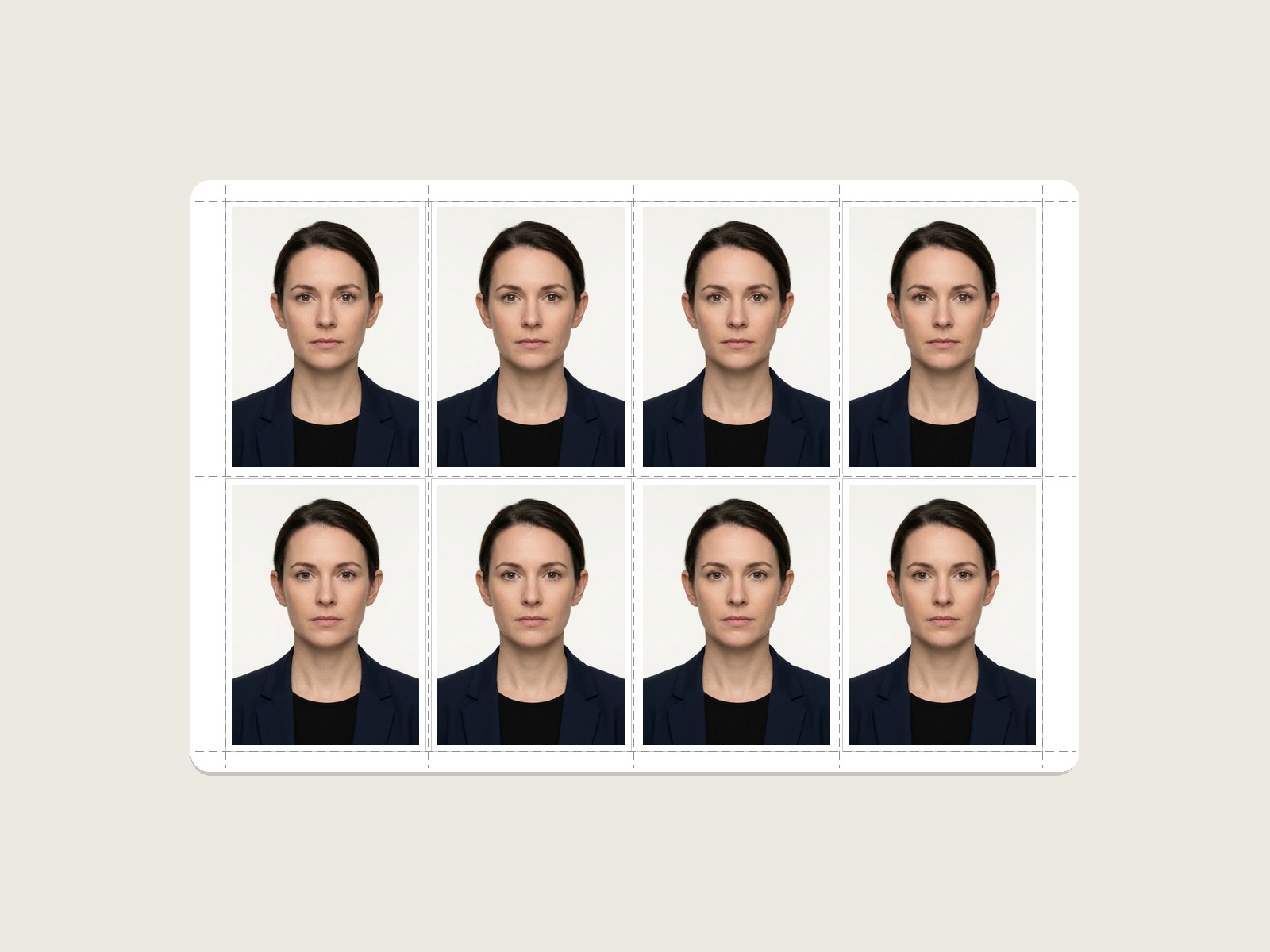
The Geometry of the 8-Photo 4×6 Print Sheet
The grid math below shows how the selected 35×45 mm example and spacing fit within a 4×6 inch sheet before printer-specific scaling or non-printable margins:
Landscape Grid Orientation
4 columns of 35 mm = 140 mm. 3 gaps of 1.2 mm = 3.6 mm. Total horizontal span is 143.6 mm. On 152.4 mm paper, exactly 8.8 mm remains, creating 4.4 mm symmetrical side margins.
Vertical Alignment
2 rows of 45 mm = 90 mm. 1 gap of 1.2 mm = 1.2 mm. Total vertical span is 91.2 mm. On 101.6 mm paper, exactly 10.4 mm remains, creating 5.2 mm top and bottom margins.
Check Your Printer Margins
The geometric example leaves 4.4 mm side margins and 5.2 mm top/bottom margins before printer-specific non-printable areas. Check the print preview and printer specifications because printable margins vary by model and media.
Explore Other Print Sheet Layouts
A 5×6 A4 example for larger copy counts.
Print 9 Photos (3×3 Grid)Square 3×3 arrangement for postcard and studio photo cards.
A3 Commercial (60 Photos)Wide-format commercial sheet for cyber cafes and school batches.
Create & Print Passport Photos Online
Need to crop your photo to 35×45 mm, whiten backgrounds, or add candidate Name & Date before printing? Launch our flagship Passport Size Photo Maker.
4×6 Passport Photo Sheet Printing FAQs
How many passport photos fit on a 4×6 inch (4R) sheet?
A 4×6 inch sheet measures 101.6 × 152.4 mm. With the example 35×45 mm size and the spacing used by this layout, a 4×2 grid provides eight slots; confirm the preview against your printer’s printable area.
Why is 4×6" photo paper the best choice for home printing?
4×6 inch (known as 4R in India) is the most widely sold photo paper size. Single packs of 50 or 100 sheets are affordable, and virtually every desktop printer has a dedicated rear paper feed slot customized for 4×6 cards.
What margins should I check on a 4×6 sheet?
Our engine applies 4.4 mm horizontal margins and 5.2 mm vertical margins. This symmetrical border ensures your photos remain inside the physical printable zone on Epson EcoTank, Canon Pixma, and HP Ink Advantage printers.
Should I choose Glossy or Matte 4×6 photo paper?
Glossy or semi-gloss photo paper is commonly used for small-format photo printing because it can retain detail well. The receiving passport authority may specify a finish or other print requirement, so verify its current instructions before submission.
What printer settings ensure 4×6 photos print at actual size?
Select the matching 4×6 paper size. When exact physical dimensions matter, use Actual Size / 100% where supported and disable automatic shrink or fit options that would rescale the prepared layout.
Can I print 4×6 passport sheets directly from my mobile phone?
Yes. You can download the print sheet as a high-resolution JPEG or PDF and send it directly to your WiFi-enabled printer using Epson iPrint, Canon PRINT, or Apple AirPrint at 100% scale.