
Passport Photo Cropper
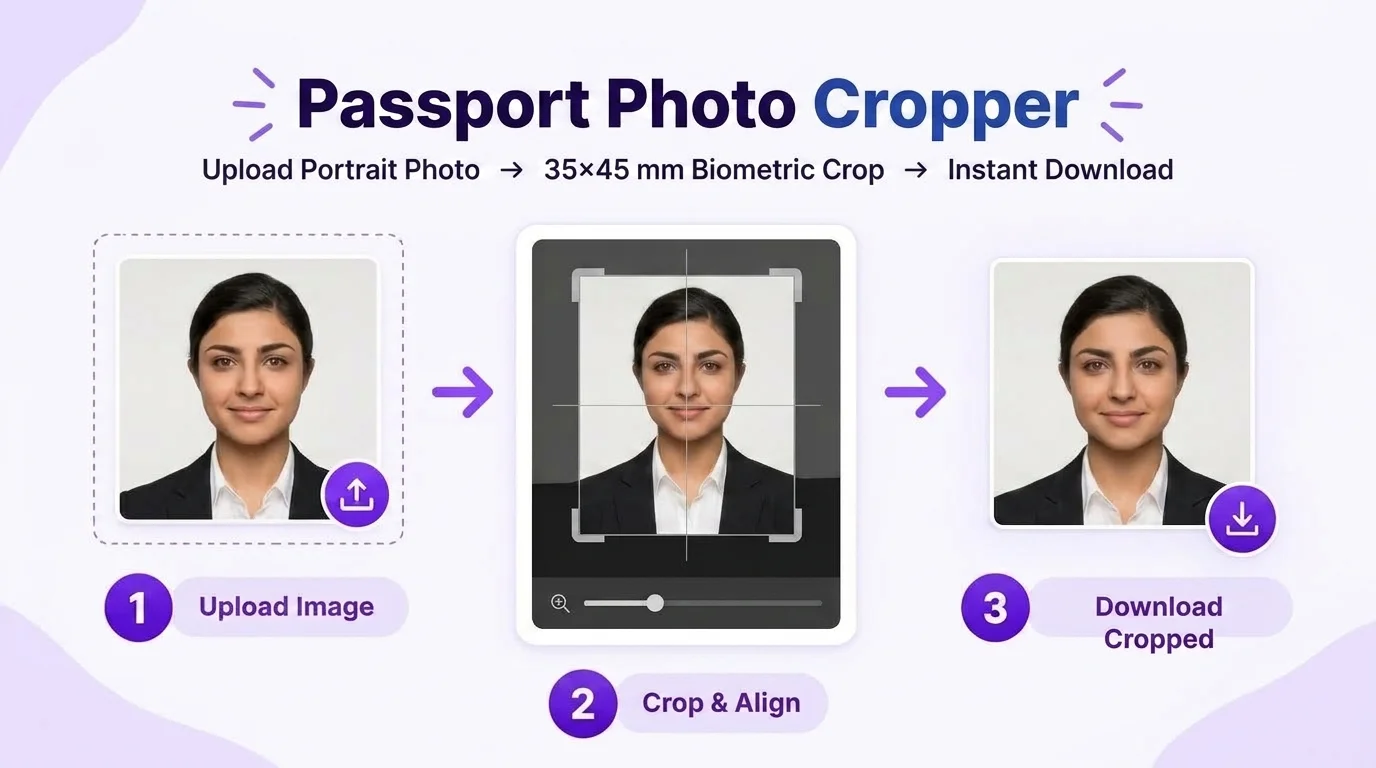
Crop a portrait to a passport-photo size such as 35×45 mm, or use custom dimensions from your application. Zoom, pan and review the face-position guides without stretching facial proportions, then export the result at the resolution you need.
First step in preparing your passport photo. Need full multi-photo print sheets or enhancement after cropping?
Passport Photo Cropper
Uses the selected photo-size guide with browser-based core editing
3-Step Biometric 35 × 45 mm Aspect Ratio Cropping
More Dedicated Tools in Passport Photo Studio
All tools share your active photo session. Switch between tools without re-uploading:
Solid pure white background (#FFFFFF) and studio lighting balance.
Passport Photo Name & DateOptional name/date caption strip for applications that explicitly request one.
Passport Photo Print SheetTile 30 photos on A4 or 8 on 4×6" with safe print margins & cut lines.
Passport Photo CompressorCompress toward a target KB when your application specifies a file-size limit.
Passport Photo Cropping Dimensions & Ratio Examples
Passport applications can specify different ratios, physical sizes and framing rules. Use these examples to understand the crop controls, then enter the size stated by your application:
| Document / Authority | Physical Size | Aspect Ratio | Head Coverage | Pixels @ 300 DPI |
|---|---|---|---|---|
| 35 × 45 mm portrait example | 35 × 45 mm | 7:9 (35:45) | Use the application framing rule | 413 × 531 px |
| 25 × 35 mm portrait example | 25 × 35 mm | 5:7 (25:35) | Centered crop example | 295 × 413 px |
| 35 × 45 mm with optional caption | 35 × 45 mm | 7:9 (35:45) | Leave room only if a caption is required | 413 × 531 px |
| 20 × 25 mm small portrait example | 20 × 25 mm | 4:5 (20:25) | Check crop instructions | 236 × 295 px |
| 2 × 2 inch square passport example | 51 × 51 mm (2×2") | 1:1 Square | Check crop instructions | 600 × 600 px |
How to Align Your Face Inside the Biometric Oval Guide?
Crown to Chin Alignment
Your chin must touch the bottom curve of the alignment oval, while the top of your hair (crown) touches the upper curve. This ensures your face spans exactly 31 mm to 36 mm.
Eye-Level Horizontal Axis
Your eyes should sit along the upper third horizontal guide line. Looking straight ahead at camera lens height prevents upward or downward optical distortion.
Equal Shoulder Clearance
Ensure both left and right shoulders are visible and evenly spaced. Both earlobes must be unobstructed with no head tilt or sideways turn.
4 Cropping Errors That Can Make a Passport Photo Unsuitable
Taking a wide torso photo where your face only takes up 40%-50% of the frame will be auto-flagged by Passport Seva Kendra scanners.
Cropping too tightly can cut off the crown, chin or other required space. Leave the amount of headroom and face coverage requested by the passport authority receiving the photo.
Forcing a square 1:1 image into a 35:45 rectangle without locking aspect ratio distorts facial jawlines and nose widths.
Positioning your face too far to the left or right leaves asymmetrical margins. Use our Auto Center tool to balance margins automatically.
Need Background Whitening, Name & Date, or Print Sheets?
Our flagship Passport Size Photo Maker lets you crop, adjust the background, add a caption when requested, and create printable photo sheets in one browser workflow.
Frequently Asked Questions About Passport Photo Cropping
How does the passport size photo cropper lock the exact 35×45 mm ratio?
When the 35×45 mm preset is selected, the crop frame keeps the 35:45 (7:9) aspect ratio while you zoom or reposition the portrait. Other presets or custom dimensions can be used when your passport application specifies a different shape.
What is the face oval guide and why is it important for passport photos?
The on-screen face oval, crown, eye-line and chin markers are visual alignment aids. They help you crop consistently, but they are not a universal biometric rule or an acceptance check; follow the framing instructions for your passport application.
Can I download the cropped photo directly without making a full print sheet?
Yes. In standalone cropper mode, you can adjust your photo and click "Download Cropped" to export a high-resolution 300 DPI JPEG immediately. If you need multiple copies, you can also continue seamlessly into our print sheet generator.
Does cropping upload my photo to any server?
The core cropper is designed for browser-side processing. The site can also use browser storage for drafts, preferences and session state, and optional connected services may have separate data flows; see the Privacy Policy for details.
Can I crop to passport-photo sizes other than 35×45 mm?
Yes. Use another passport-photo preset, such as a square 2×2 inch format when appropriate, or enter custom dimensions from your application instructions. The cropper keeps the selected aspect ratio without stretching the portrait.
How do I fix a tilted portrait in the cropper?
Use the 90-degree rotate tool and horizontal flip controls in the cropper toolbar to align your posture straight toward the camera with shoulders level.