
A4 Size Sheet Passport Photo Layout for Print
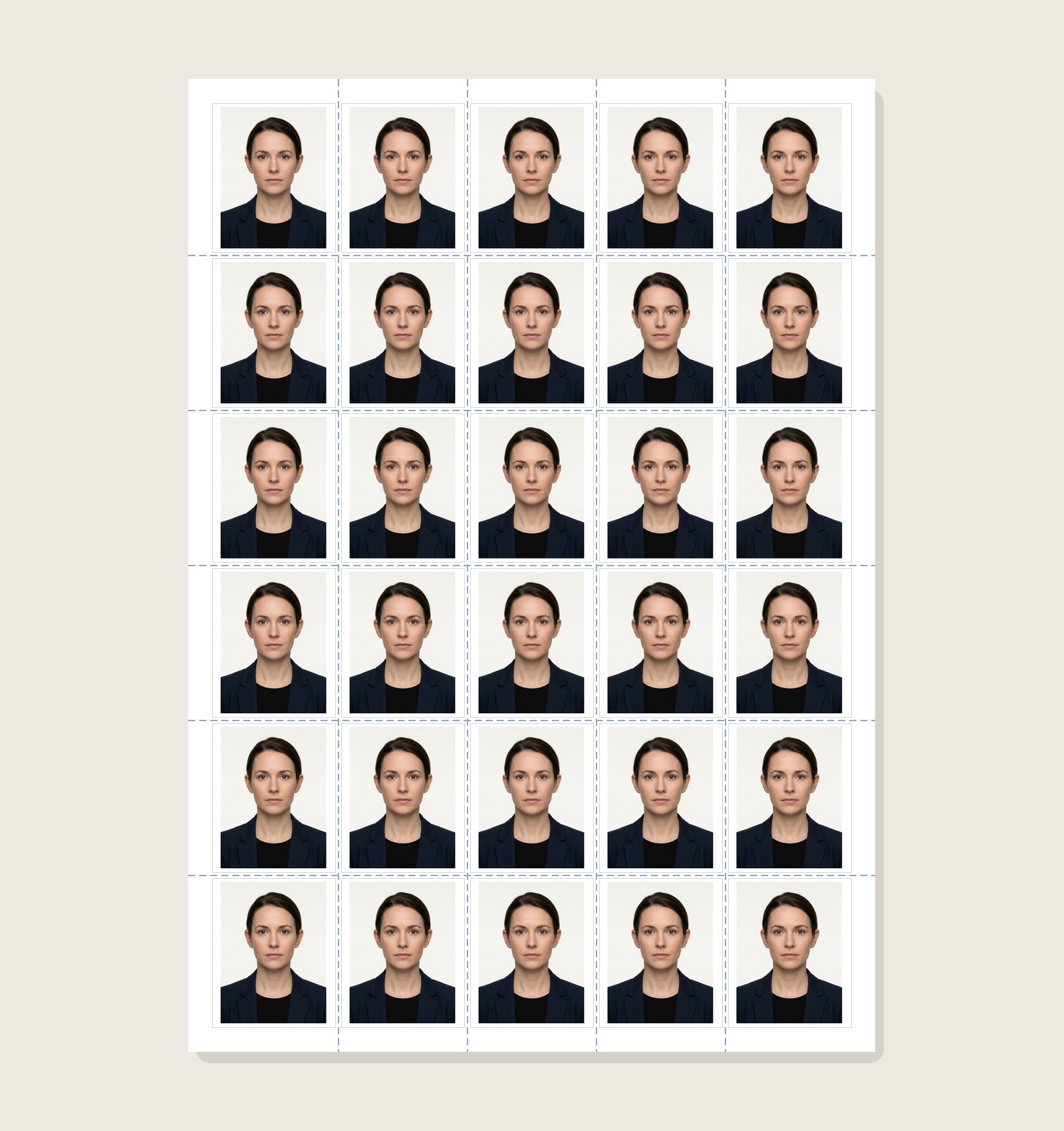
Generate an A4 passport-photo sheet using a 35×45 mm example or another selected size. Preview the grid, spacing and margins before printing because printable areas differ across printer models.
Passport Photo Print Sheet Maker
Arrange photos on supported sheets with layout guides and cut lines
Why a 30-Photo 5×6 Grid Is a Practical A4 Example
Understanding the math behind an A4 layout helps you preserve the selected physical size and avoid wasting photo paper:
Physical Dimension Math
5 columns × 35 mm = 175 mm width. 4 gaps × 1.5 mm = 6 mm. Total grid width is 181 mm. On 210 mm paper, exactly 29 mm remains, yielding 14.5 mm symmetrical side margins.
Preventing Roller Edge Loss
Desktop printers can have non-printable areas near paper edges, and the size varies by model and print mode. A margin-friendly layout reduces risk, but you should still compare the sheet preview with your printer specifications.
Precision Scissor Cutting
Every photo tile is outlined with an ultra-thin 0.5pt scissor guide hairline. Trimming photos takes minutes with scissors or an office rotary paper cutter.
How to Print A4 Sheets at 100% Actual Size
Follow these essential printer dialog configurations to ensure 35×45 mm example dimensions:
- Set Scale to 100% Actual Size in Adobe Reader or browser print dialog.
- Select Media Type: Epson Premium Glossy or Photo Paper Plus Glossy II.
- Choose Print Quality: High / Best (300 DPI or 600 DPI output).
- Paper Size: A4 (210 × 297 mm).
- Do NOT enable Fit to Printable Area, which shrinks photos down to 31×40 mm.
- Do NOT print on plain 75 GSM photocopy paper, which absorbs ink and wrinkles.
- Do NOT enable automatic duplexing, which flips sheets through rollers twice.
Explore Other Print Sheet Layouts
8 photos on 102×152 mm photo paper. Ideal for home inkjet printers.
A3 Commercial Print Sheet60 photos on 297×420 mm sheet. Perfect for cyber cafes and school batches.
A4 Borderless (36 Photos)Dense 6×6 example for print setups that can handle the required edge area.
Create & Print Passport Photos Online
Need to crop your photo to 35×45 mm, whiten backgrounds, or add candidate Name & Date before printing? Launch our flagship Passport Size Photo Maker.
A4 Passport Photo Sheet Printing FAQs
How many 35×45 mm passport photos fit on an A4 sheet?
A4 measures 210 × 297 mm. A 5×6 grid can hold 30 copies of a 35×45 mm example before accounting for the exact gaps and margins you choose; verify the layout against your printer’s printable area.
What margins should I check for an A4 passport photo sheet?
With the example 5×6 layout, the remaining page area can be distributed as outer margins after accounting for the selected gaps. Printer non-printable areas vary, so confirm the preview and your printer specifications before printing.
What print settings should I choose to ensure photos print at 100% true scale?
When exact physical dimensions matter, use Actual Size / 100% scaling where supported and disable automatic fit or shrink options that would rescale the prepared sheet. Measure one finished photo with a ruler before using the batch.
Can multiple people share a single 30-photo A4 sheet?
Yes. Photocopy Wale lets you tile multiple family members or candidates up to the selected sheet capacity on the same A4 sheet. You can assign custom copy counts per individual (e.g. 10 for applicant 1, 10 for applicant 2, 10 for applicant 3).
What paper GSM gives the best results for A4 passport photo printing?
Photo paper is usually better suited than ordinary copier paper for clean photographic detail. Choose the paper type, finish, and weight supported by your printer and verify any material requirement stated by the passport authority receiving the photo.
How much money does printing passport photos on an A4 sheet save?
Home or shop printing costs vary by paper, ink, printer, location and service fees. Compare your actual print cost with a local photo service rather than assuming a fixed saving percentage.