
Print 36 Passport Photos on A4 Sheet
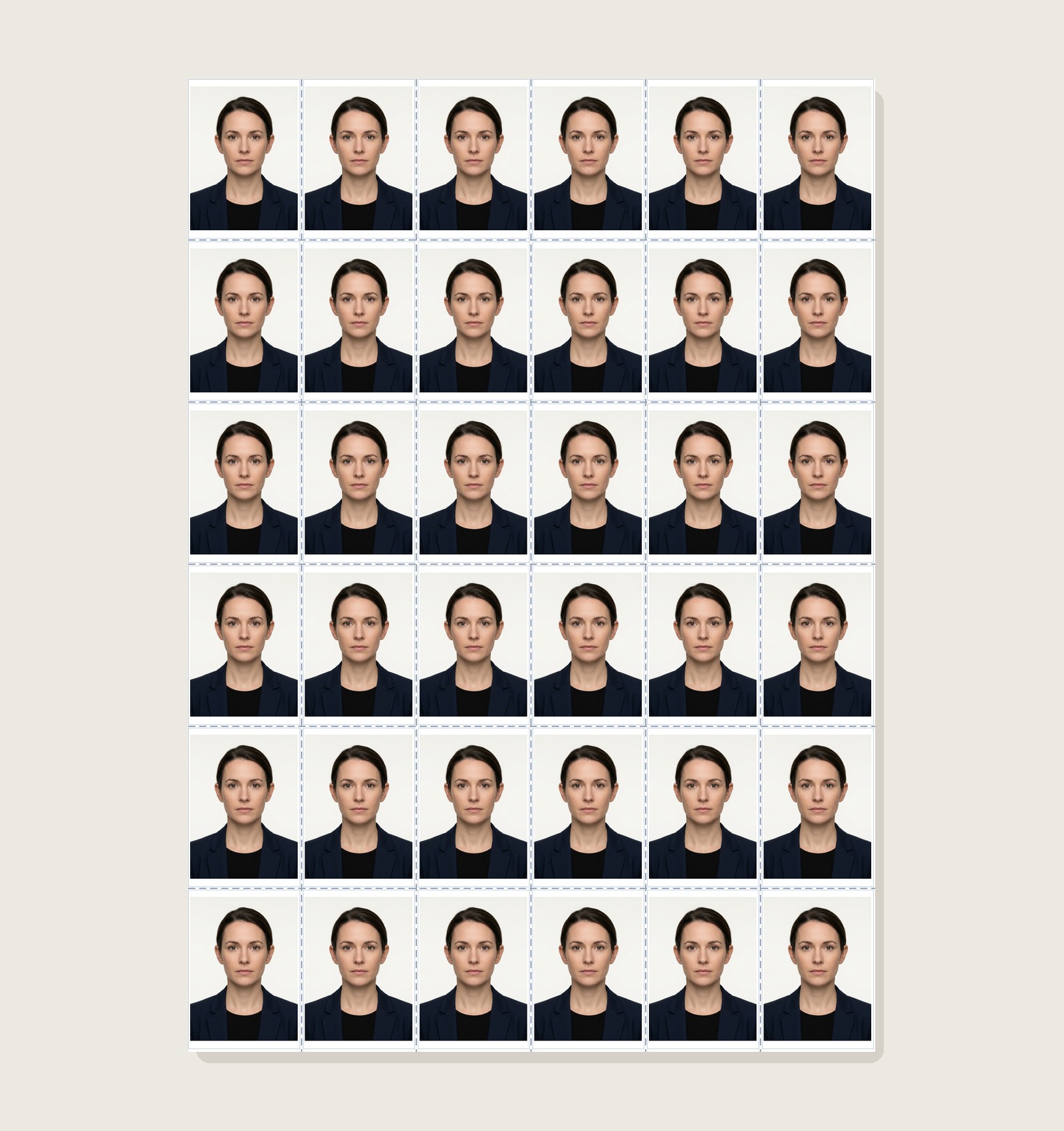
Prepare a dense 6×6 A4 layout with 36 photo slots. For a 35×45 mm example, six 35 mm columns already consume the full 210 mm A4 width before gaps or margins, so verify scale and borderless behavior before printing.
Passport Photo Print Sheet Maker
Arrange photos on supported sheets with layout guides and cut lines
How Borderless Printing Works for 36 Photos
Understanding borderless mode ensures your outer photos print completely without missing borders:
Use this layout if your printer driver has a "Borderless" option (Epson Photo printers, Canon Pixma Photo series). The printer sprays ink slightly past the paper edge onto an internal absorption pad, allowing full edge-to-edge coverage.
If your printer has a non-printable edge area, a dense 6×6 layout may be clipped or automatically rescaled. A 30-photo layout with more margin can be easier to print, but verify with your own printer preview.
Need a Different Number of Copies?
5×6 example with more room for margins and printer-specific printable areas.
Print 8 Photos (4×6 Paper)Compact 4×2 centered grid for small batches and home photo cards.
Print 9 Photos (3×3 Grid)Square 3×3 arrangement for postcard and studio photo cards.
Create & Print Passport Photos Online
Need to crop your photo to 35×45 mm, whiten backgrounds, or add candidate Name & Date before printing? Launch our flagship Passport Size Photo Maker.
Printing 36 Passport Photos FAQs
How do 36 passport photos fit on one A4 sheet?
A 6×6 grid of 35×45 mm example photos occupies 210 × 270 mm before any gaps. Because that uses the full 210 mm A4 width, the layout is only practical when your print setup can handle the required edge area.
When can borderless printing matter for a dense 36-slot layout?
Many printers have a non-printable edge area, but the exact margin and borderless capabilities vary by model and media. Check your printer specifications before choosing a dense 6×6 layout.
What can happen if the printer cannot reproduce the outer edge area?
If the printer cannot reproduce the prepared edge area, the outer columns can be clipped or rescaled. Use the live preview and consider a lower-capacity layout with wider margins.
How do I check whether my printer supports the required edge area?
Borderless support depends on the exact printer model, driver, media size and paper type. Check the manufacturer specifications for your printer instead of assuming a model supports borderless A4.
Which printer settings should I review before printing a dense 6×6 sheet?
Confirm A4 paper size, scaling, orientation, media type and any borderless/expansion options that your exact printer provides. Do not copy a setting from another printer model; preview and measure a test print first.
Can I tile different family members on the 36-photo sheet?
The editor supports multiple photos up to the selected sheet layout capacity. Assign copy counts per photo and confirm the final 6×6 preview before export.