
Print 30 Passport Photos on A4 Sheet
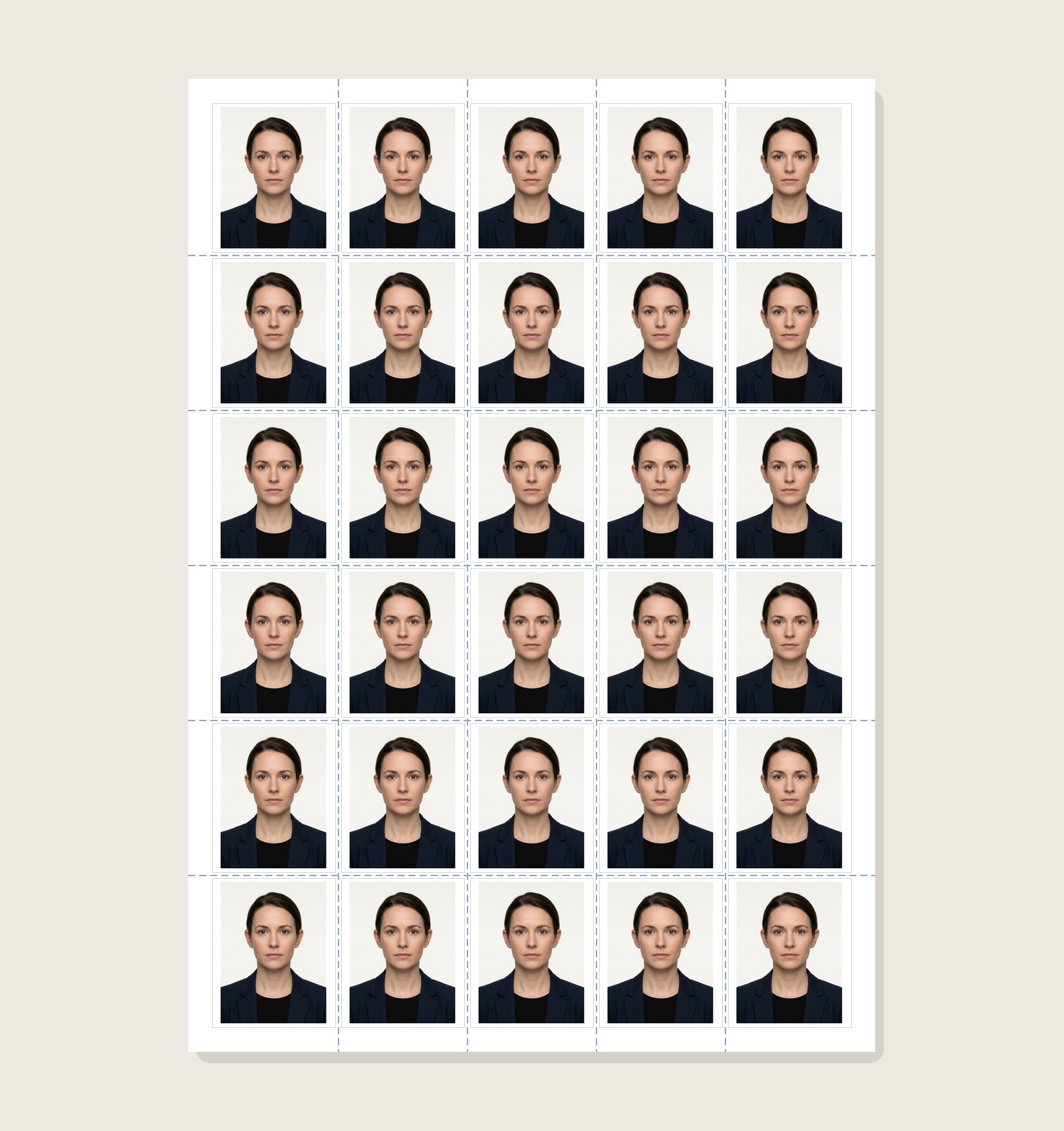
Prepare a 5×6 A4 layout with 30 passport-photo slots and preview the output before printing. The 5×6 grid is designed to leave useful margin space, but always check it against your printer’s actual printable area.
Passport Photo Print Sheet Maker
Arrange photos on supported sheets with layout guides and cut lines
Why a 5×6 Grid Is Easier to Print Than a Dense 6×6 Grid
A 30-photo 5×6 layout can leave more outer margin than a denser 36-photo layout. Which layout prints cleanly depends on the selected photo size, gaps, margins and your printer's printable area:
With the example settings shown by this layout, the 5×6 grid leaves useful outer space around the photos. Always preview the sheet and confirm your own printer's non-printable margins before producing multiple copies.
A denser grid leaves less room for margins and spacing. Check the preview against your printer's printable area; if any photo falls outside that area, use wider margins or a lower-capacity layout.
Need a Different Number of Copies?
Dense 6×6 example that requires careful printable-area and scale checks.
Print 8 Photos (4×6 Paper)Compact 4×2 centered grid for small batches and home photo cards.
Print 9 Photos (3×3 Grid)Square 3×3 arrangement for postcard and studio photo cards.
Create & Print Passport Photos Online
Need to crop your photo to 35×45 mm, whiten backgrounds, or add candidate Name & Date before printing? Launch our flagship Passport Size Photo Maker.
Printing 30 Passport Photos FAQs
Why use a 30-photo 5×6 layout on an A4 sheet?
Five 35 mm-wide photos occupy 175 mm before horizontal gaps, while six 45 mm-high photos occupy 270 mm before vertical gaps. The usable margins depend on spacing, centering and the printer’s printable area, so no layout can guarantee zero clipping on every printer.
Can I split 30 photos between multiple family members?
The editor supports multiple photos up to the selected sheet layout capacity. You can assign copy counts per photo and preview the combined sheet before export.
Can a 30-photo sheet reduce repeated printing work?
A single sheet can reduce repeated setup when you genuinely need many copies, but actual cost depends on your printer, ink or toner, paper, failed test prints, and any shop or lab charges. Compare your own cost before assuming a fixed saving.
What printer settings ensure the 30 photos print at 35×45 mm size?
If the exported sheet is already prepared at the intended physical size, start with 100% or Actual Size and disable automatic Fit-to-Page scaling. Measure one test print before producing multiple copies because printer drivers and printable areas can still affect output.
What paper should I buy to print 30 passport photos?
Use photo media supported by your printer and suitable for the application. Paper weight and finish vary by printer and receiving authority, so check both the printer manual and any current submission instructions.
How do I cut the 30 photos after printing?
Use the cutting guides shown in the exported layout and cut carefully with scissors or a paper trimmer. Check one measured photo before cutting the full sheet so any print-scaling problem is caught first.