Passport Photo Paper Sizes (A4, 4×6, 5×7) & Print Capacity Guide
By Shrikant Yadav • Print-layout geometry and paper-size guidance • Reviewed September 2026
A standard A4 photo sheet (210 × 297 mm) fits 30 to 36 standard 35×45 mm passport photos, a 4×6" photo card (101.6 × 152.4 mm) fits 8 photos, and a 5×7" sheet (127 × 177.8 mm) fits 12 to 15 photos. Photocopy Wale arranges photos with precision scissor cutting lines for 1:1 scale vector PDF and 300 DPI lab printing.
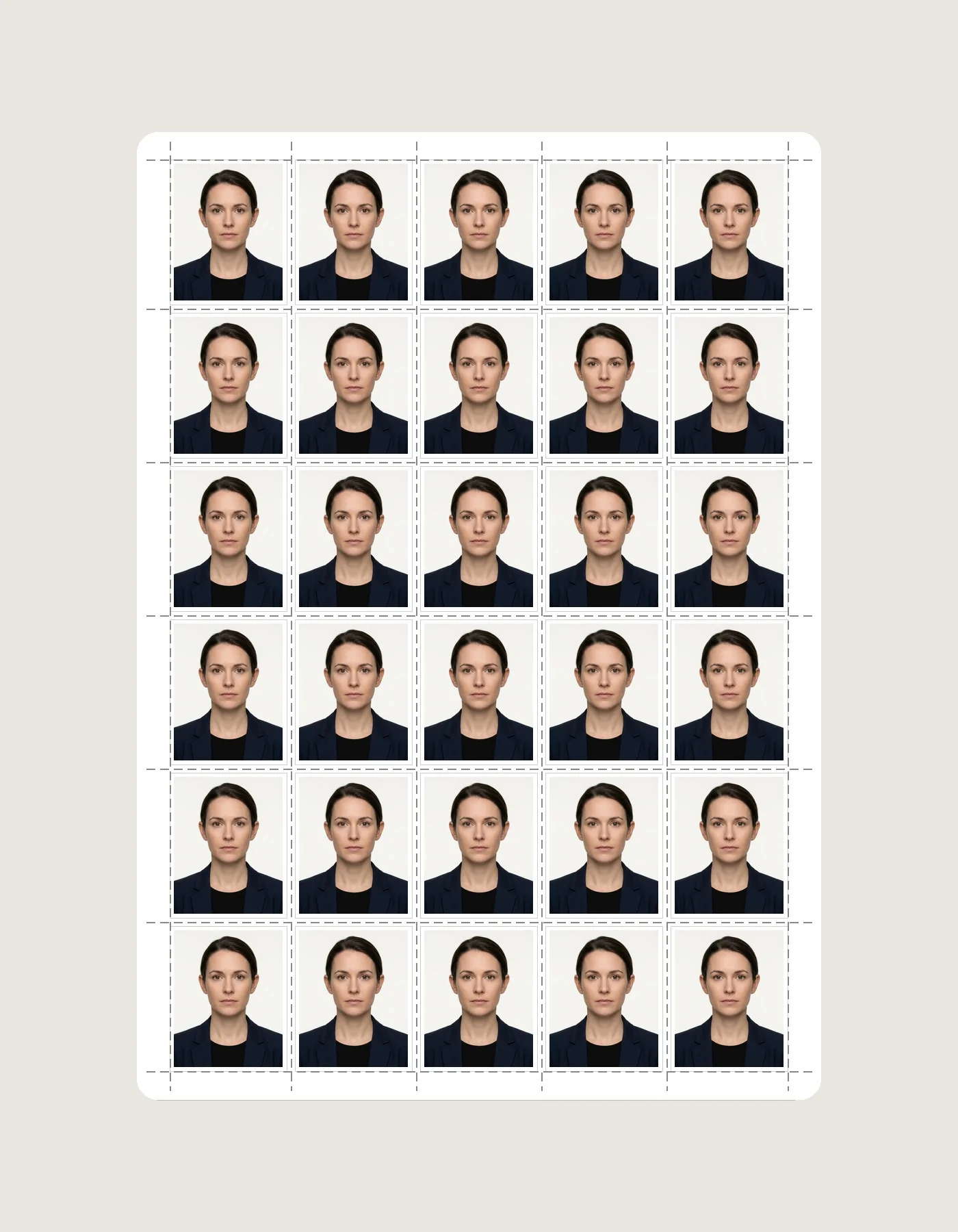
1. Standard Photo Paper Formats & Capacity Matrix
| Paper Format | Dimensions (mm) | 35×45 mm Capacity | Stamp (20×25 mm) Capacity | Grid Layout |
|---|---|---|---|---|
| A4 Sheet (ISO 216) | 210 × 297 mm | 30-36 Photos | 80 Photos | 5 cols × 6 rows (Portrait) |
| 4×6" (4R Photo Card) | 101.6 × 152.4 mm | 8 Photos | 20 Photos | 4 cols × 2 rows (Landscape) |
| 5×7" (5R Photo Card) | 127 × 177.8 mm | 12-15 Photos | 35 Photos | 4 cols × 3 rows (Landscape) |
2. Cost Savings Breakdown (Studio vs Home Printing)
Print cost varies by paper, ink, printer, local service pricing and layout. A multi-photo sheet can improve paper utilization, but calculate cost from your actual materials or print-shop price rather than assuming a fixed rupee amount or savings percentage.
Frequently Asked Questions
How many passport size photos fit on a single A4 photo paper sheet?
A standard A4 sheet (210 × 297 mm) comfortably holds 30 to 36 standard 35×45 mm photos arranged in a 5×6 or 6×6 grid with cutting guides.
How many passport photos fit on a 4×6 inch (4R) photo paper?
A 4×6" photo sheet (101.6 × 152.4 mm) holds exactly 8 standard 35×45 mm photos in a 4×2 grid.
How many Stamp Size photos (20×25 mm) fit on an A4 sheet?
A stamp-size grid can use more slots than a larger passport-photo grid, but exact A4 capacity depends on the selected stamp dimensions, orientation, gaps, margins, cut guides and the printer's usable area. Calculate the geometry before treating any slot count as an exact-size layout.
What is the cost saving of printing an A4 passport photo sheet at home vs a photo studio?
Home and shop costs vary by paper, ink or toner, printer maintenance, location, service fees and failed test prints. A larger sheet may improve paper utilization when the layout fits, but compare your actual per-sheet cost rather than relying on a fixed market price or savings percentage.
Should I choose A4 Portrait or A4 Landscape sheet layout in Photocopy Wale?
A4 can support different grid presets, including 5×6 and dense 6×6 examples, but physical fit depends on the chosen photo dimensions and printer edge handling. Compare portrait and landscape previews and measure a test print instead of assuming one orientation is universally best.
How do I export the A4 print sheet in true 100% vector scale?
In Photocopy Wale, select "A4 Standard Sheet" and click "Download Print Sheet (PDF)". Our engine generates a vector 1:1 scale PDF that prints at exact physical millimeters.
 Author & Technical Review
Authored and verified by Shrikant Yadav (https://shrikantyadav.com/), Lead Developer at Photocopy Wale. Sourced from ISO 216 Paper Standards.
Generate Your Custom Print Sheet
Select A4, 4×6, or 5×7 and export your print-ready sheet with precision cut marks.
Open Passport Photo Studio